Fixed speed
Free
Smooth scrolling at the speed you set, in words per minute. See the time left and check your video length against your target platform.
 Prompta
Free on iPhone, iPad & Android
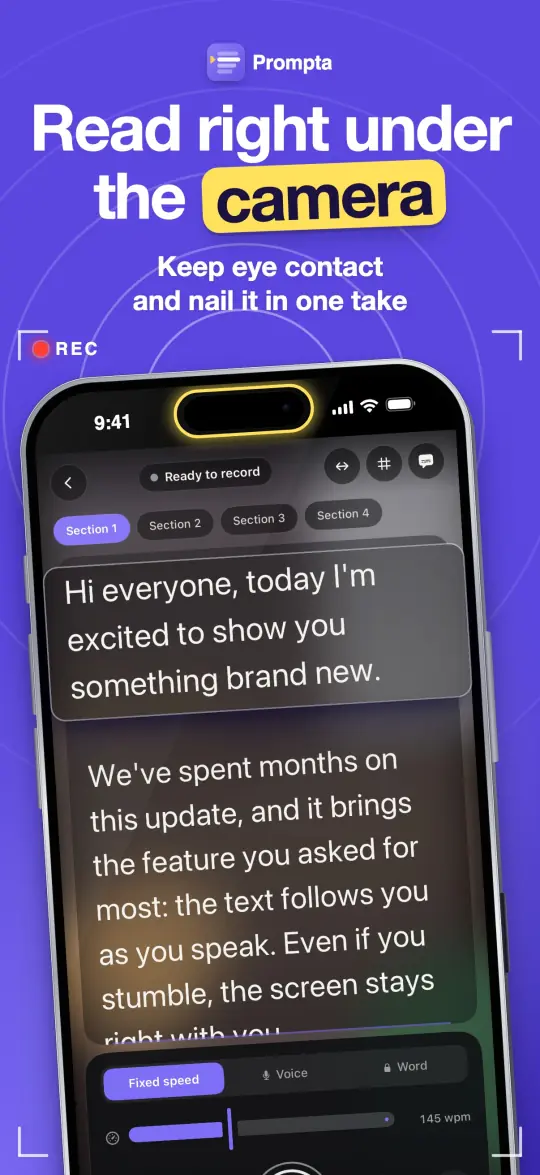
Read your script right under the camera and keep eye contact. It scrolls when you speak and waits when you pause, so you nail it in one take.
Three ways to scroll
Pick the scrolling mode that suits each take, right from the teleprompter screen.
Free
Smooth scrolling at the speed you set, in words per minute. See the time left and check your video length against your target platform.
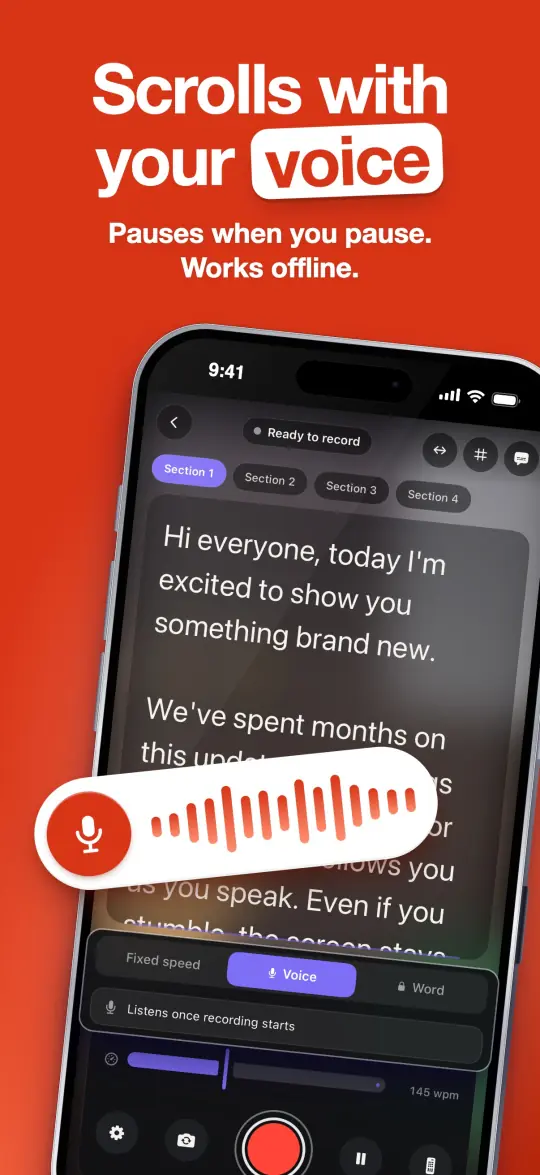
Free · works offline
The text moves while you speak and waits when you pause. It listens for your voice, not your words, so it works in any language without internet.
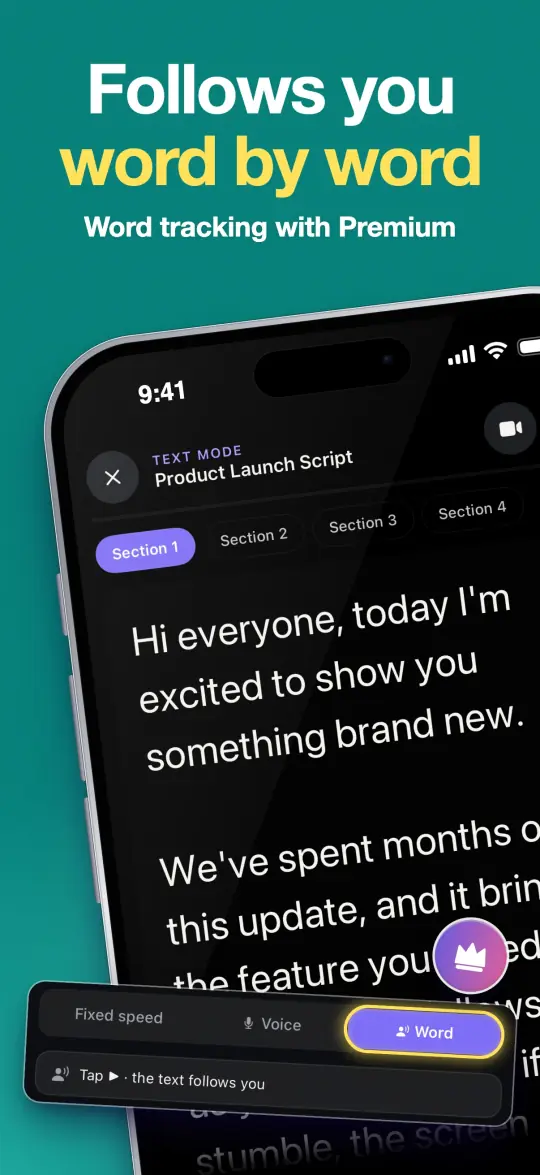
Premium
The text follows you word by word as you read, even while recording. Uses your device's speech recognition, which may need internet.
Features
The camera opens with your script on top. A short countdown and you're rolling. Front or rear camera, portrait or landscape, focus and exposure lock, stabilization and a framing grid. Optionally stop at the last line.
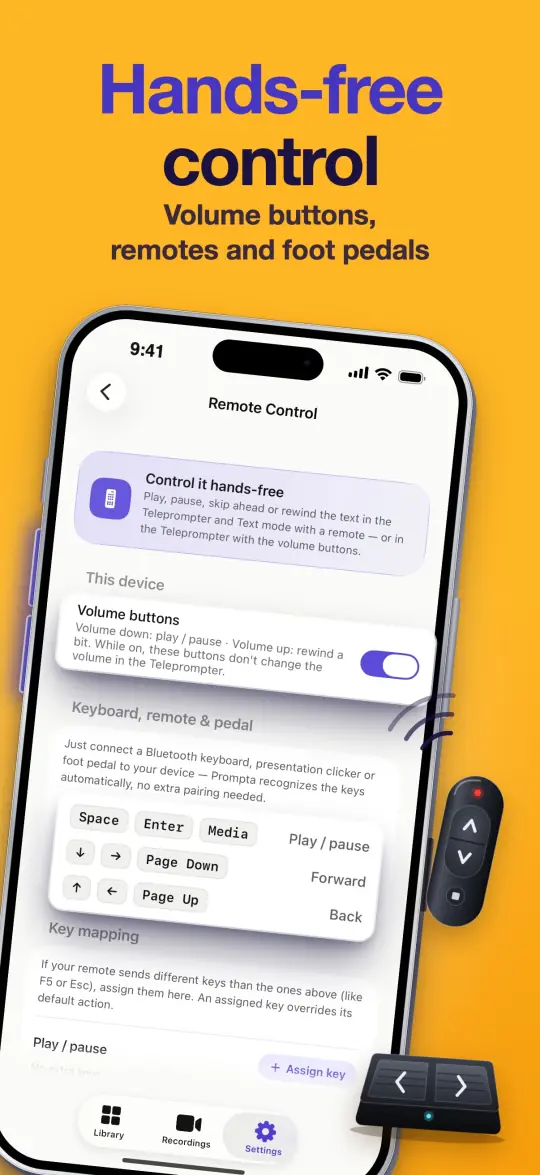
Bluetooth keyboards, presentation clickers and foot pedals work right away, and you can assign your own keys. Use the volume buttons or voice commands: "continue", "stop", "start over", "next paragraph".
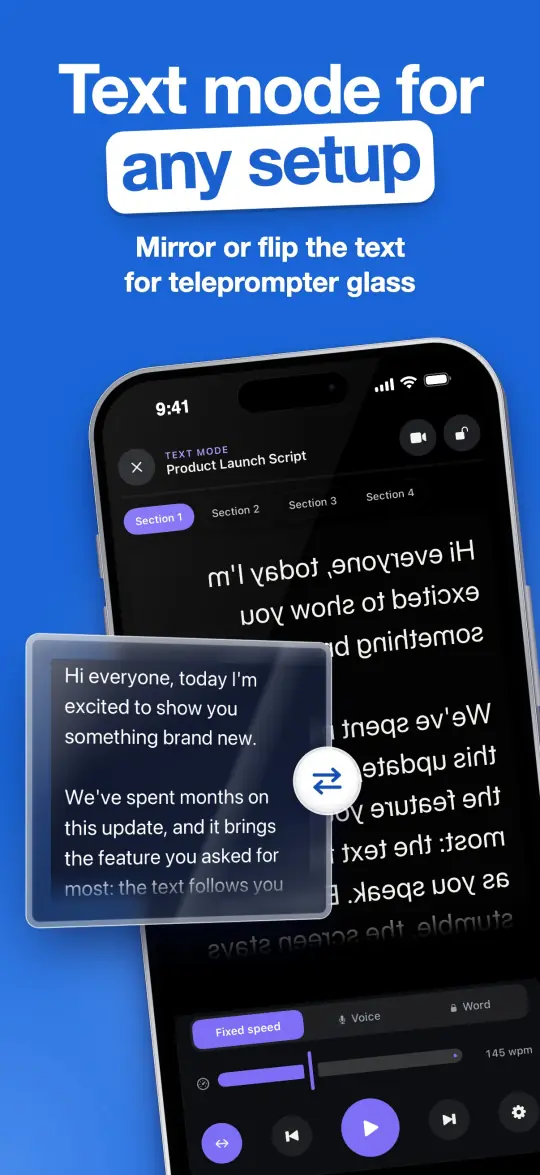
Use Prompta without the camera: read while filming with another camera, on teleprompter glass (mirror or flip the text) or while presenting live. Lock the screen to avoid accidental taps.
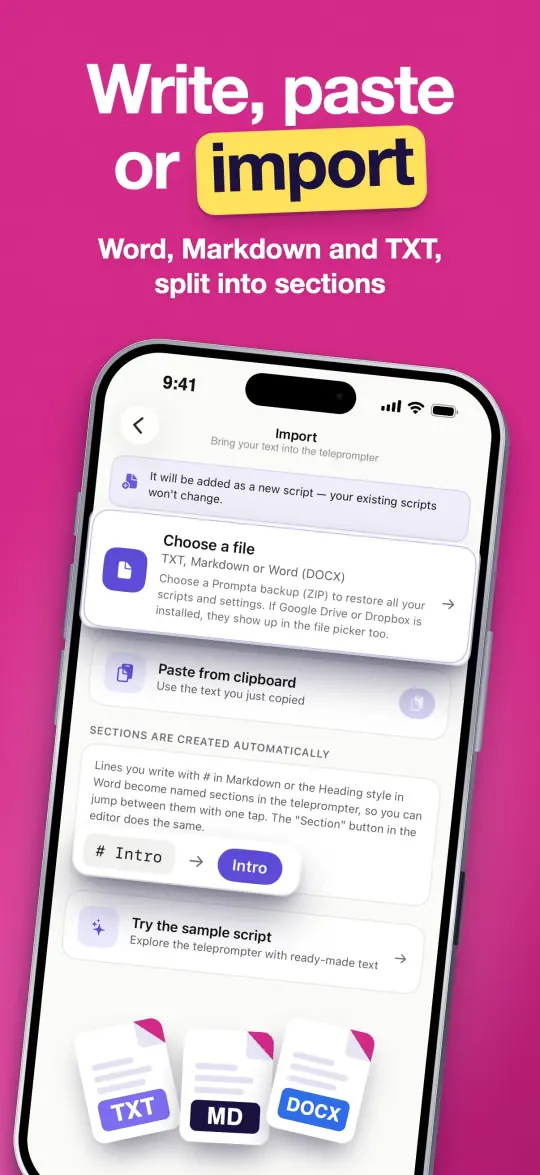
Import TXT, Markdown or Word (DOCX) files. Headings become sections you can jump between with one tap. Autosave and version history let you restore any earlier draft.
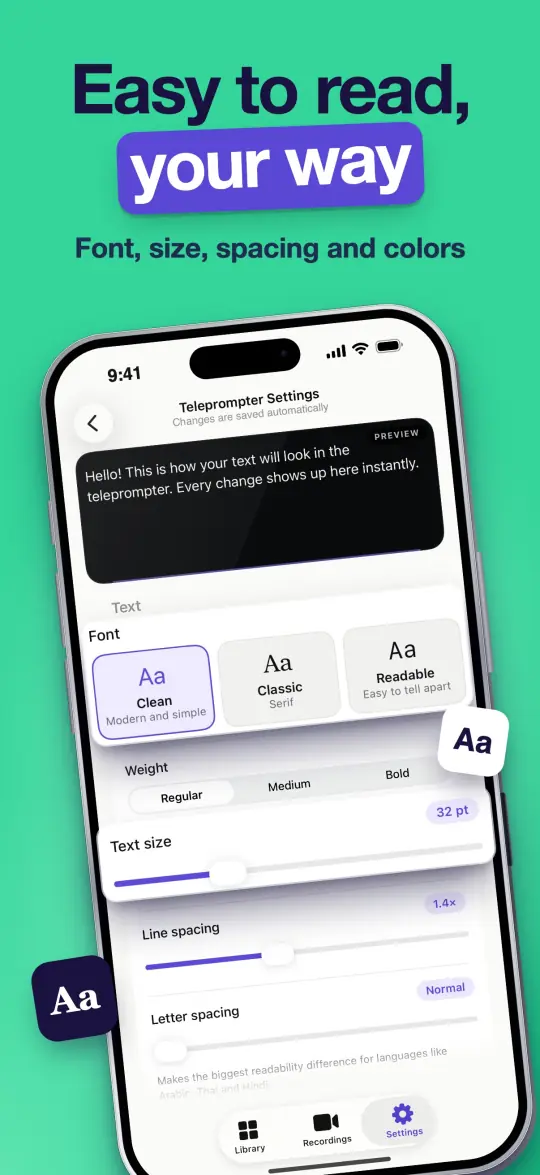
Choose the font, weight, size, line and letter spacing, text color, background dimming, side margins and reading line position. Light and dark theme.
The app is available in 36 languages. Search your scripts and recordings, and set an optional recording reminder on the days you choose.
Volume buttons: on iPhone and iPad with the camera on (iOS 17.2+). Voice commands and word tracking on Android need Android 13+.
Take a look
How it works
Write it, paste it or import a Word, Markdown or TXT file. Headings turn into sections automatically.
Fixed speed, voice scrolling or word tracking. Adjust size, speed and position so reading feels natural.
Tap record, read to the lens and you're done. Videos are saved to your gallery, ready to post.
Private by design
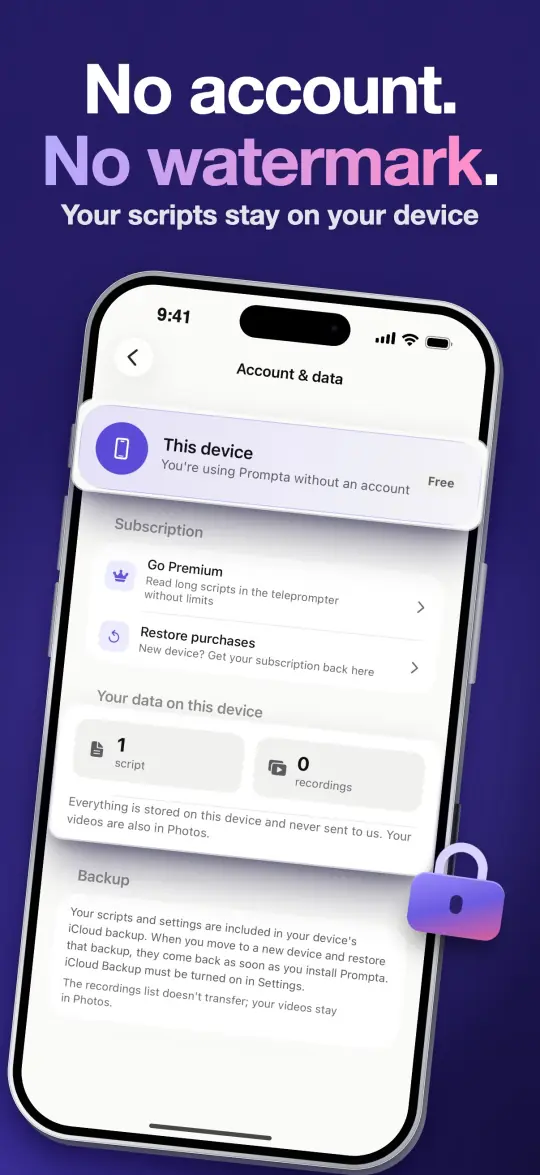
No sign-up. Your scripts and recordings stay on your device and are never sent to us. Export everything as one ZIP backup, restore it anytime, or delete all your data with one tap.
Pricing
No watermark, ever
Monthly, yearly or lifetime
Choose monthly, yearly (new subscribers get a free trial) or a one-time lifetime purchase. Prices are shown in the app in your local currency. Cancel anytime in your App Store or Google Play account; your scripts and recordings are never deleted.
FAQ
Yes. The free version records in HD (720p) with no watermark and includes voice scrolling, voice commands, mirror mode and remote control. Scripts up to about 90 seconds scroll in full; a longer script can be unlocked for the day by watching a short ad, up to 3 times a day. Premium removes ads and the length limit and adds Full HD, 4K and word tracking.
No. There is no watermark on any recording, in the free version or in Premium.
No. Prompta works without sign-up. Your scripts and recordings stay on your device and are never sent to us.
Yes. Voice scrolling listens for your voice, not your words: the text moves while you speak and waits when you pause. It needs no internet and works in any language. Word tracking and voice commands use your device's speech recognition, which may need internet depending on your language.
Voice scrolling (free) moves the text while you are speaking and stops when you pause. Word tracking (Premium) recognizes the words you read and keeps your current line at the reading line, word by word, even while recording.
Yes. Text mode turns Prompta into a prompter without the camera. Mirror or flip the text for beam-splitter glass, and control it with a Bluetooth clicker, keyboard or foot pedal.
iPhone and iPad with iOS 17 or later, and Android phones and tablets with Android 8.0 or later. Some features depend on the device: 4K recording, video stabilization, volume button control (iOS 17.2+) and, on Android, voice commands and word tracking (Android 13+).
Nothing is deleted. Your scripts and recordings stay on your device; only the Premium features stop. You can cancel anytime in your App Store or Google Play account.
Download Prompta for free and record your first script in under a minute.