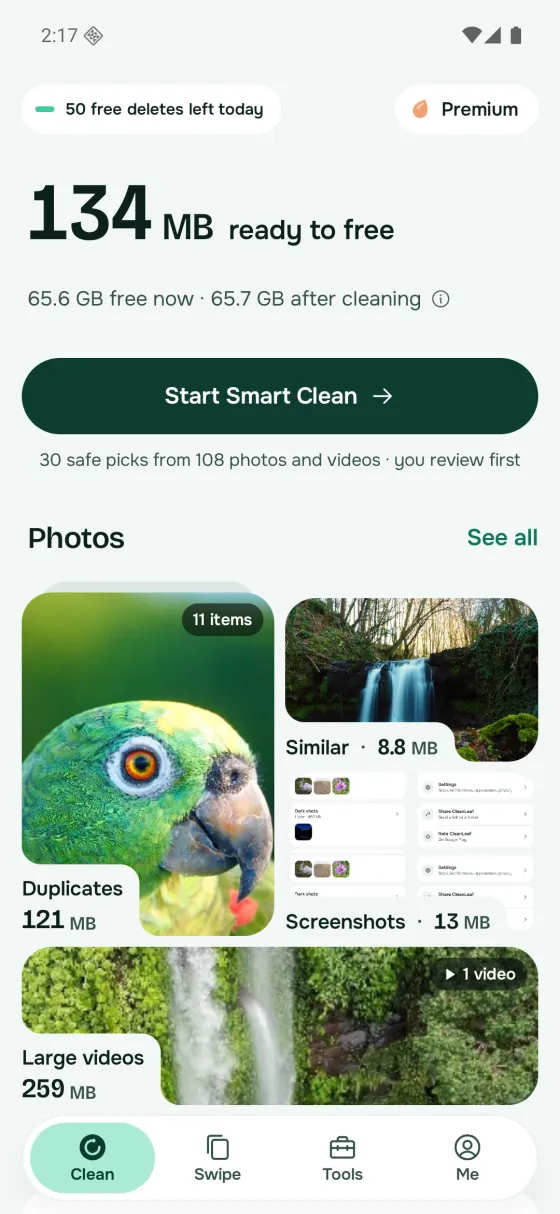
Duplicates
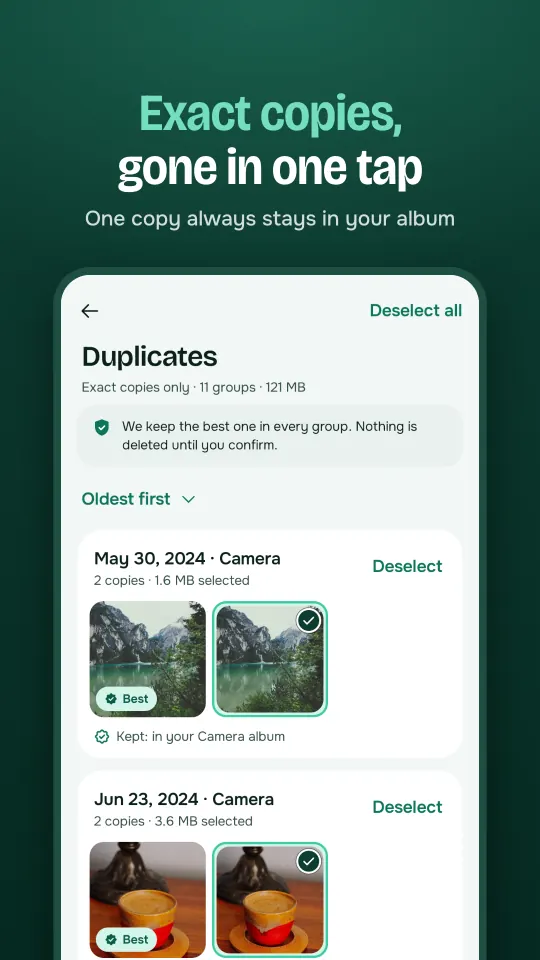
Exact copies are grouped and one copy is kept for you.
 CleanLeaf
Free on Android
CleanLeaf finds duplicate photos, similar shots, blurry pictures and large videos, keeps the best one of each group for you, and shows exactly how much space you get back.
What it cleans
CleanLeaf groups what you no longer need and shows the space each group takes. You choose what goes.
Exact copies are grouped and one copy is kept for you.
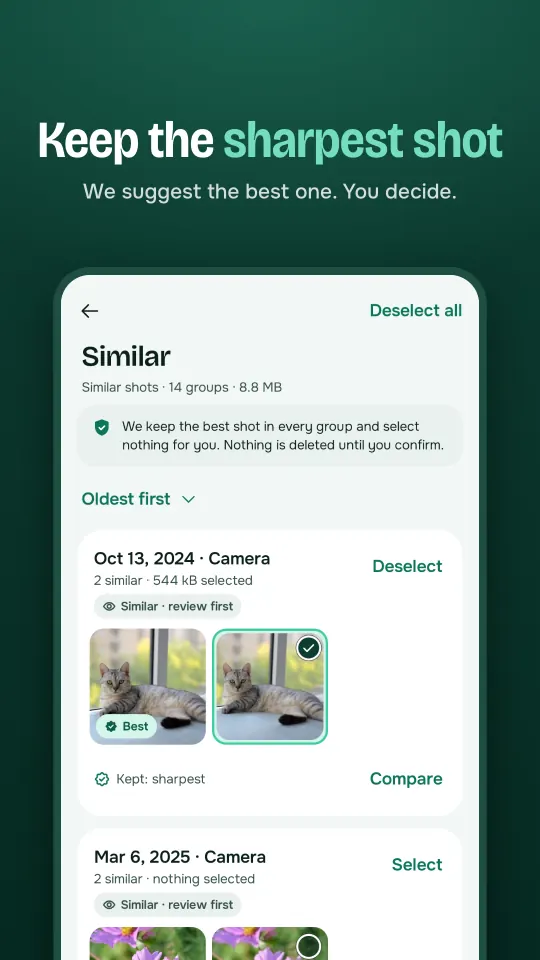
Bursts and near-identical shots side by side. We suggest the sharpest; you decide.
Shaky and out-of-focus pictures you will never use.
Pocket shots and pictures too dark to see.
Screenshots, old screenshots and screen recordings.
Large and short videos, biggest first.
More space with tools
Beyond the gallery, CleanLeaf helps with the files, apps and memories that fill your phone.
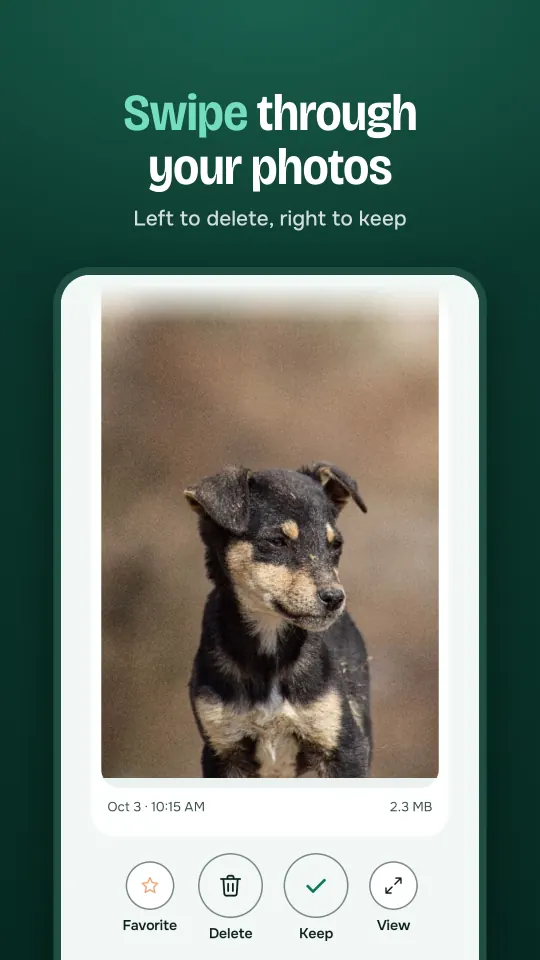
Go through photos one by one: left to delete, right to keep. Nothing goes until you review your picks.
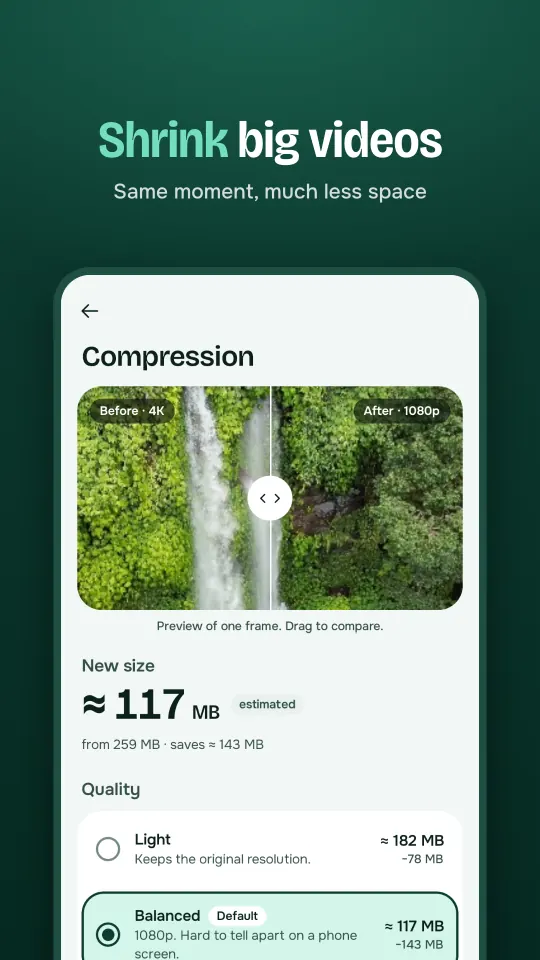
Make large videos smaller, for example 4K to 1080p, and keep them in your gallery.
Keep chosen photos and videos encrypted behind a PIN or your fingerprint.
Large files, APKs, downloads and empty folders across your storage.
See the apps you don't use and how much space each one takes.
Find duplicate and incomplete contacts and merge them, with a backup first.
Every number comes from your phone's own storage figures. After each cleanup you see how much space you actually got back.
Take a look
How it works
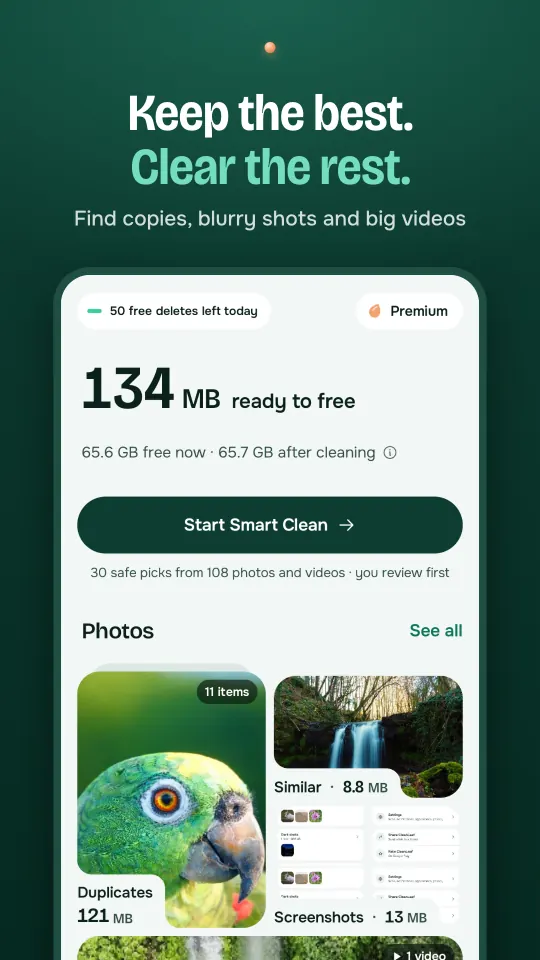
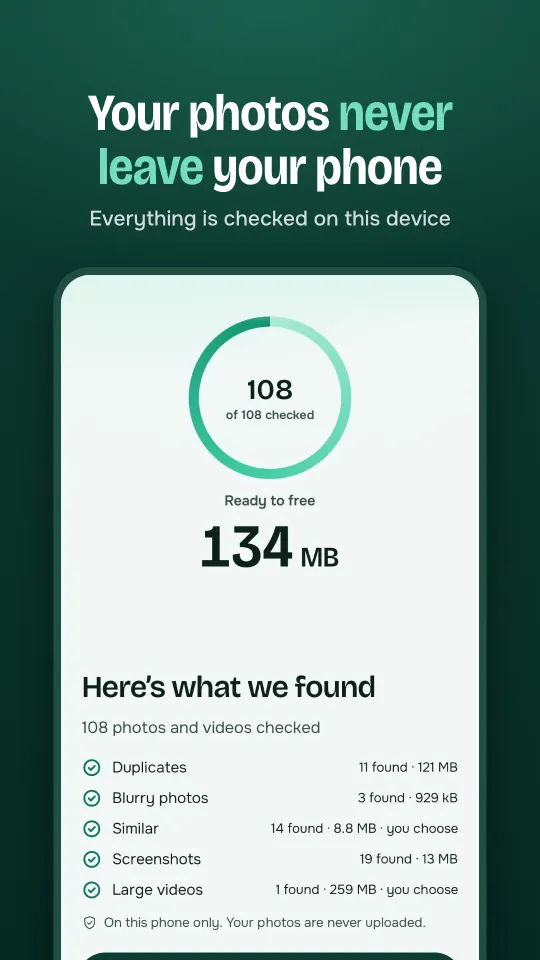
CleanLeaf checks your photos and videos on the device. Nothing is uploaded.
Copies and similar shots are grouped. The best shot of each group is kept for you.
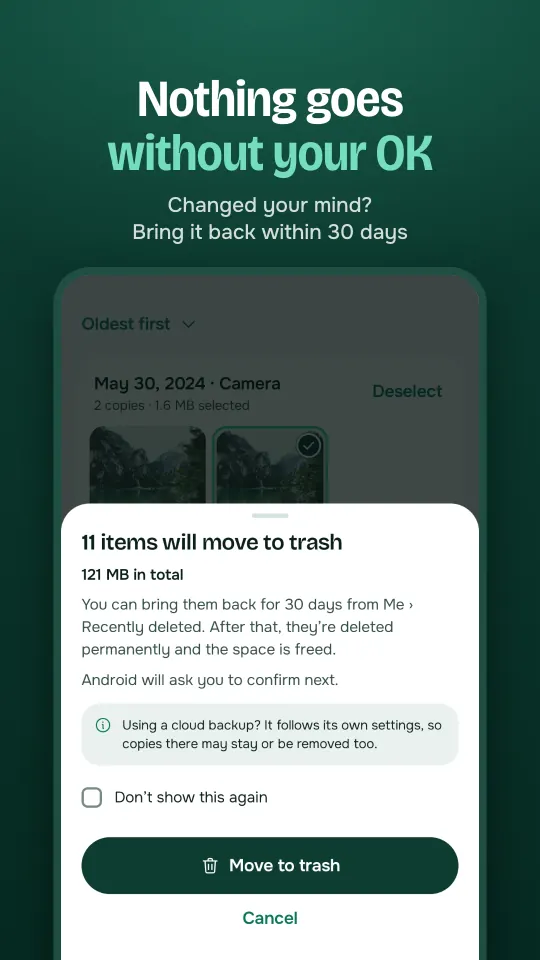
Confirm, and everything you clear waits in the trash for 30 days, so you can bring it back.
Nothing leaves your gallery until you confirm.
Private by design
CleanLeaf checks your photos, videos, files and contacts on your device. There is no account, and nothing is uploaded.
Pricing
Every cleaning feature
Monthly, yearly or lifetime
Prices are shown in Google Play before you buy. Subscriptions renew until you cancel in Google Play.
FAQ
Yes. CleanLeaf is free to download, and the free plan includes 50 deletes a day with ads. You can get more deletes by watching a short ad. Premium removes the daily limit and the ads.
No. Nothing is deleted until you confirm. Everything you clear waits in the trash for 30 days, so you can bring it back.
Within each group of copies or similar shots, CleanLeaf looks at the files on your phone: an original over a copy, full size over a smaller version, sharp over blurry. The reason is written under each group, and you can pick another one.
No. Your photos, videos, files and contacts are checked on your phone and never uploaded. There is no account and no sign-in.
It depends on your gallery. CleanLeaf shows the size of each group before you clear it, and after each cleanup you see the space you actually got back, measured by your phone.
A calm way to go through your photos one by one: swipe left to delete, right to keep. Nothing is deleted until you review your picks.
You pick the quality before you compress, for example 4K to 1080p, which is hard to tell apart on a phone screen. You see the new size first, and the original stays until you decide.
Only for Files, which finds large files, APKs, old downloads and empty folders across your storage. It is asked when you open that feature, and you can use the photo cleaner without it.
No daily limit, no ads, compressing many videos at once, more widget styles and unlimited vault space. Premium is monthly, yearly (with a free trial where available) or a one-time lifetime purchase.
Android phones with Android 8.0 or newer. An iPhone version is coming soon.
Download CleanLeaf and see how much space your gallery can give back.